Creative & AI Video
AI product photography that sells the real product.
Fresh lifestyle scenes, product page sets and ad images for every launch and season, built from photos of your actual product. Labels, colors and proportions stay true, so the image sells what arrives in the box.
- A person replies within one business day
- A plan you can act on
- You own every asset
- Time to first results
- Sample scenes in 1–2 weeks
- Engagement
- Fixed-price project
- Best for
- E-commerce catalogs and ad sets
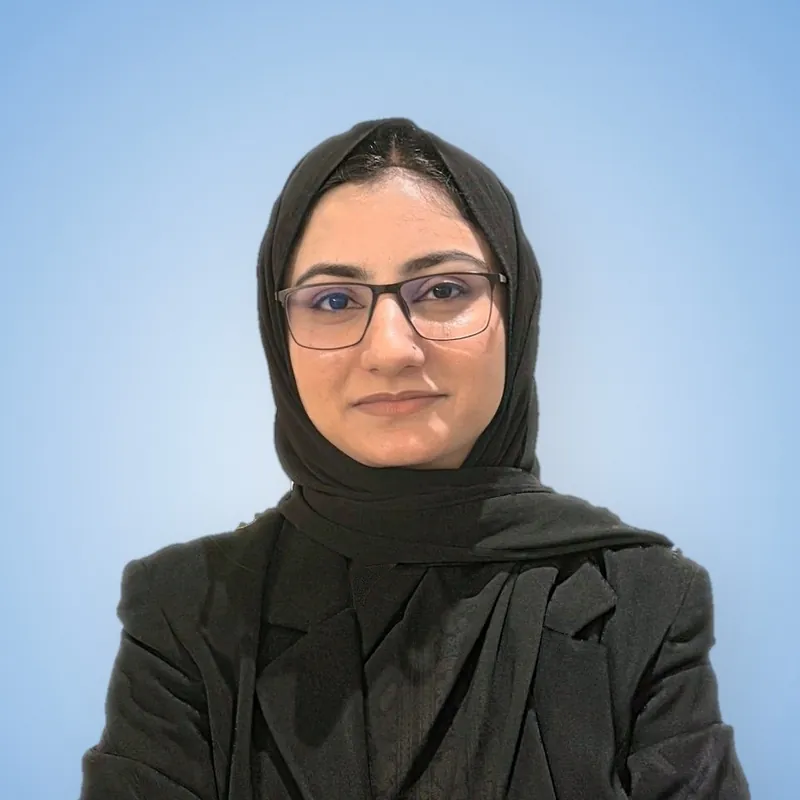 Reviewed by Noor Khan
Virtual shoot· One product · 3 scenes
SampleThe real product bottle is shot with its label locked, the scene behind it changes from a studio to a kitchen and then outdoors while the product stays the same, and a set of twenty images exports.
- Real product captured
- Scene swaps to kitchen
- Scene swaps to outdoors
- Image set exports
Illustration with sample data. Your version uses your accounts and numbers.
Brands Noor has worked with





Overview
What is AI product photography?
AI product photography is placing real photos of your product into generated scenes, backgrounds and lifestyle settings instead of staging a new shoot for every image. You get more images per launch, seasonal variants weeks ahead of the campaign, and new static ads before the old ones fatigue. Noorscale starts from your actual product shots, protects labels, colors and proportions through compositing and retouching, and exports every image for product pages, marketplaces and ads.
See it in action
What does an AI product photography project look like when it's working?
It looks like the live sample below, built with illustrative data. Your version runs on your own accounts and your numbers.
AI product photography · Nimbus bottle
SampleDrag the handle, or use the arrow keys, to compare.
Scene from your brand library
Locked to the real product
- Label and logoMatches source photo
- ColorChecked against sample
- Shape and scaleUnchanged
Exported for
- 1:1 product page
- 4:5 feed ad
- 9:16 stories
- A+ content
Marketplace main images stay retouched real photos.
Illustration of the method. Your images start from photos of your real product.
Sound familiar?
What problems does an AI product photography project solve?
It solves the three problems teams raise most often on a first call, and each one has a fix.
The problem
- “Every new season means another expensive shoot”Holidays, launches and promotions each need fresh lifestyle images, and booking studios, props and models every time eats the marketing budget.
- “Our ads keep running the same three photos”Static ads fatigue too. Without new scenes and angles, Meta and Pinterest campaigns stall and the catalog starts to look dated.
- “AI images we tried changed our actual product”Generators redraw labels, warp packaging and shift colors. An image that misrepresents the product invites returns and complaints, and can breach advertising rules.
What changes
- Fresh images for every launchNew scenes and seasonal variants ready weeks ahead of each campaign, without booking a studio every time.
- Static ads that stay freshA steady supply of new scenes to test, so image ads don't fatigue and cost per click stays in check.
- Product pages that answer doubtsScale, detail and in-use shots show buyers what they're getting, which supports add-to-cart and cuts surprise returns.
- Accuracy you can stand behindLabels, colors and shapes checked against the real product, so every image sells exactly what ships.
Compare your options
Studio shoot, DIY AI tools or a managed AI service?
Each option suits a different stage. Here's how they compare on the points buyers ask about most, including where the others do well.
| Compared on | Studio shoot | DIY AI image tools | Noorscale |
|---|---|---|---|
| Texture, fit and finish | Studio shootBest for hero images | DIY AI image toolsOften redraws the product | NoorscaleComposited from your real photos |
| Product accuracy | Studio shootExact: it's the real product | DIY AI image toolsLabels and colors can drift | NoorscaleChecked against the physical item |
| Cost per image | Studio shootHighest per image | DIY AI image toolsCheapest to start | NoorscaleFixed-price project |
| Seasonal variants | Studio shootA new shoot each time | DIY AI image toolsQuick, then heavy cleanup | NoorscaleDays once the library exists |
| Marketplace image rules | Studio shootFits main image rules | DIY AI image toolsEasy to break the rules | NoorscaleMain images stay real photos |
| Best when | Studio shootFit or material sells it | DIY AI image toolsQuick mockups for internal use | NoorscaleMany scenes, seasons and ad sets |
On the free call, Noor will tell you which option suits your stage, even when it's one of the others.
What's included
What does an AI product photography project include?
An AI product photography project includes six deliverables, each one working material your team can use, not a slide deck.
Scope · AI Product Photography6 deliverables
- 01
Product capture guide
Instructions or a short studio session to get clean, well-lit shots from key angles, the raw material every accurate image depends on.
- 02
Brand scene library
Approved backgrounds, props, surfaces and lighting styles matched to your brand guidelines and reused across launches, so the catalog stays consistent.
- 03
Lifestyle and in-use images
Your product placed in kitchens, bathrooms, desks or outdoor settings that fit your buyer, composited from the real product photo.
- 04
Product page and marketplace sets
Angle, detail, scale and lifestyle images formatted for Shopify, Amazon and other marketplaces, with each channel's image rules applied.
- 05
Seasonal and promo variants
Holiday, launch and sale versions of your best images, ready weeks before the campaign instead of the week of.
- 06
Ad creative crops
Every image exported in 1:1, 4:5 and 9:16 with safe zones for text, ready for Meta, Pinterest, Google and TikTok placements.
Tools and platforms we work in
 Adobe Photoshop
 Adobe Firefly
 Flux
 Midjourney
 Photoroom
 Magnific
 Lightroom
 Shopify
Process
How long does an AI product photography project take?
The work runs in four steps, starting in week 1 and then running as ongoing work. Every step ends with something you can use, so you always know what's landed and what comes next.
Time to first results: Sample scenes in 1–2 weeks
Step 01Week 1
Intake and capture plan
We collect product photos, brand guidelines and channel requirements, and flag any angles that need a fresh capture first.
You get: Capture plan and list of missing angles
Step 02Week 2
Scene direction and samples
We produce sample scenes in a few styles. You pick a direction, and we lock props, lighting and color rules.
You get: Chosen scene direction and locked style rules
Step 03Weeks 2–3
Production and retouching
Images are generated, composited and retouched, then labels, logos and colors are checked against the physical product before delivery.
You get: Accuracy-checked images in every format
Step 04Ongoing
Refresh cycles
New seasonal and ad variants on request or on a monthly schedule, built from the same scene library for consistency.
You get: New seasonal and ad variants
Reporting
How will you know an AI product photography project is working?
You'll see it in four numbers on a live dashboard, with a written review every month. Leading indicators come first, then the numbers your finance team cares about.
Monthly reportSample
- Ad CTR by scene styleHigher is better
Click-through rate for each scene style in paid campaigns, so the library grows toward what buyers respond to.
- Product page conversion rateHigher is better
Add-to-cart and purchase rate on product pages before and after new images, read alongside traffic changes.
- Cost per final imageLower is better
Total project cost divided by approved images, compared with your last studio or lifestyle shoot.
- Accuracy rejections per batchHigher is better
Images sent back for label, color or shape errors, logged per batch so accuracy problems surface early.
15 minutes with Noor
Noor Khan, Founder & CEO
You'll leave with
- Your biggest growth opportunity, in plain terms
- The first two or three moves worth making
- A clear plan for your first milestone
Noor listens first, then shows you the fastest route to the result you want.
Useful to have with you
- Your website address
- The goal or problem you want to solve
- Any numbers you already track
Booking opens on Cal.com. Or send a call request
Who it's for
Who is an AI product photography project for?
An AI product photography project works best for teams in one or more of these situations.
- Shopify and DTC brands with large catalogs
- Brands launching products every season
- Paid social teams needing fresh static ads
- Marketplace sellers needing secondary and A+ images
Engagement
How is an AI product photography project scoped and priced?
Pricing is shared after the free call, in a written scope with deliverables, timeline and fee. Never a package, never a surprise.
Monthly retainer
Ongoing work against a 90-day plan, for channels that compound month over month.
- Monthly report and strategy call
- Priorities reset every quarter
- No long lock-in
- Typical for this service
Fixed-scope project
A defined scope, timeline and fee for builds, audits, migrations and launches.
Usually: Fixed-price project
- Deliverables agreed in writing
- Milestones you can check
- Optional care plan after launch
Focused sprint
A short, time-boxed piece of work on one priority, to prove the approach first.
- One clear goal
- Working output, not a deck
- Roll into a retainer or stop
Every engagement includes
- Scene direction and samples
- Composited lifestyle images
- Product page and marketplace formats
- Ad crops in 1:1, 4:5 and 9:16
What shapes the scope
- Number of products and scenes
- How many final images you need
- Retouching each product needs
- A capture session, if photos aren't usable
You'll see how each one applies to you in the written scope.
Who leads the work?
Founder-led by Noor Khan
A software engineer turned AI and growth strategist. Noor sets the strategy and architecture on every engagement, reviews every plan before it ships and built the method the whole team works by.
FAQ
Questions about AI Product Photography
Something else on your mind? Email grow@noorscale.com and a person will reply within one business day.
How much does AI product photography cost?
AI product photography is a fixed-price project, quoted after a free call from the number of products, scenes and final images you need. How much retouching each product needs also moves the price. If your source photos aren't usable, a short capture session is added to the scope.
How quickly can we get new product images?
Sample scenes arrive in the first week or two, and a full set usually lands two to three weeks after kickoff. Once your scene library exists, seasonal refreshes take days rather than weeks.
Is AI product photography as good as a studio shoot?
Yes, for lifestyle scenes, backgrounds and seasonal variants, as long as it starts from real product photography. A studio still wins for hero images where texture, fit or material finish carry the sale. We'll tell you which images belong in which bucket before you spend on either.
Will the AI change how our product looks?
Your product stays exactly as it is, because we never let a model redraw the product itself. The product comes from your real photo and is composited into the scene, then labels, logos, colors and proportions are checked against the physical item. Anything that drifts is fixed or rejected before delivery.
What do you need from us to get started?
Clean photos of each product from the main angles, your brand guidelines and a few examples of images you like. If you don't have usable photos, we'll send a capture guide or book a short studio session. Physical samples help us check color and label accuracy.
Can we use AI product images on Amazon and Google Shopping?
Yes, with limits. Amazon requires the main image to be a professional photograph of the actual product, so we keep main images as retouched real photos and use AI scenes for secondary images and A+ content. Google Merchant Center asks merchants to keep the metadata that marks an image as AI-generated, and our exports preserve it.
Does AI product photography work for fashion and apparel?
Yes, for flat lays, accessories and lifestyle settings around the product. Exact fit on a real body is hard to fake honestly, and a misleading fit drives returns. For on-model images we recommend real model photos, with AI used for backgrounds and seasonal variants.
Can the same images run as ads?
Yes, every image is exported in 1:1, 4:5 and 9:16 with safe zones for headlines and offers. We usually build a few scene styles per product so your ad team can test them against each other. The winning style then shapes the next round of scenes.
Who owns the product images you create?
Our contract assigns you every right we hold in the final images, and we only use tools whose terms allow commercial use. Your product photos remain yours throughout. We keep a record of the tools used for each image in case a marketplace or legal team asks.
Related services
What pairs well with AI Product Photography?
- Creative & AI VideoUGC Ads (AI & Creator-Made)AI avatar and real creator ads, scripted on tested hooksExplore
- Websites & AppsShopify DevelopmentShopify stores built to sell more per visitorExplore
- Paid MediaAmazon Ads & Retail MediaSponsored Products, Brands and Display managed to profitExplore
We build AI Product Photography for teams in
Free 15-minute call
Tell us what you want to build.
In fifteen minutes you'll have a clear first step for AI Product Photography and a plan to reach it. Pick a time below, or write if that's easier.
Prefer email? grow@noorscale.com
15 minutes with Noor
Noor Khan, Founder & CEO
You'll leave with
- Your biggest growth opportunity, in plain terms
- The first two or three moves worth making
- A clear plan for your first milestone
Noor listens first, then shows you the fastest route to the result you want.
Useful to have with you
- Your website address
- The goal or problem you want to solve
- Any numbers you already track
Booking opens on Cal.com. Or send a call request